Instagram Automation DM Kaise Banaye (Hindi Hinglish Guide 2026)
Kabhi aapke Instagram DMs itne bhar jaate hain ki "price?" "details?" "link?" ka reply dena mushkil ho jata hai? Yahin par Instagram DM automation ka kaam aata hai. Simple words mein, automation ka matlab auto replies, lead capture, aur 24/7 response, bina har baar manually type kiye.
Example samjho: koi aapke DM mein "price" likhe, aur turant ek helpful message chala jaye. Is post mein beginner-friendly tareeke se tool-based setup (ManyChat, Hyperleap, TezDM plus n8n) samjhenge, aur saath hi ban risk ko kaise avoid karein, wo bhi clear hoga.
Automation shuru karne se pehle, ye basics clear kar lo

Automation set karne se pehle 3 cheezein straight rakho: rules, account setup, aur goal. Sabse pehle, Instagram par safe automation ka base Meta ka official Graph API hai. Matlab aise tools choose karo jo official connection use karte ho. Random "bot apps" ya scraping type solutions aage jaake trouble create kar sakte hain.
Next, apna account Professional (Creator ya Business) pe switch karo. Isse messaging tools, insights, aur Meta connection easy ho jata hai. Saath hi, Meta Business portfolio (pehle Business Manager) ka basic access helpful hota hai, kyunki Instagram connect aksar wahin se hota hai. Agar aap ads nahi chalate, tab bhi connection ke liye ye step kaam aata hai.
Ab goal decide karo. "Automation chahiye" ek goal nahi hai. Goal hota hai: FAQs ka fast reply, leads capture, comment-to-DM se interested log pakadna, ya story replies ka instant greet.
Best mindset: automation ka kaam "jaldi reply" dena hai, "har kisi ko push" karna nahi.
Kaun kaun se triggers sabse useful hote hain (comment, story reply, keyword)
Triggers ko aap automation ka switch samjho. Sahi trigger choose karoge to replies natural lagenge.
1) Comment-to-DM: Jab koi aapke post ya reel par "link" comment kare, tool unko DM bhej deta hai. Ye tab best hai jab aap freebies, menu, brochure, ya product page share karte ho.
2) Story reply ya reaction: Kisi ne story par reply kiya ya emoji reaction diya, to auto greet bhej sakte ho. Ye tab use karo jab aap daily stories se engagement build kar rahe ho, jaise polls, QnA, launches.
3) Keyword-based DM: User DM mein "price", "catalog", "address" likhe, aur relevant reply aa jaye. Ye tab perfect hai jab aapko same question baar baar milta hai.
Ban aur spam se bachne ke simple rules (safe messaging checklist)
Instagram automation ko safe rakhna surprisingly simple hai, bas thoda discipline chahiye:
- Official tools aur API-based connection use karo, suspicious extensions avoid karo.
- Ek hi message ko har jagah blast mat karo, intent-based reply bhejo.
- Messages ko short rakho, aur clear options do (quick replies).
- Complex queries ke liye human handoff set karo, taki user ko stuck feel na ho.
- Volumes low se start karo; Meta ke limits hoti hain (publicly shared guidance ke hisaab se around 200 messages per hour per account).
- Har user ko value do; automation ka goal help karna hai, harassment nahi.
Instagram automation DM kaise banaye, 3 easy methods (step-by-step)
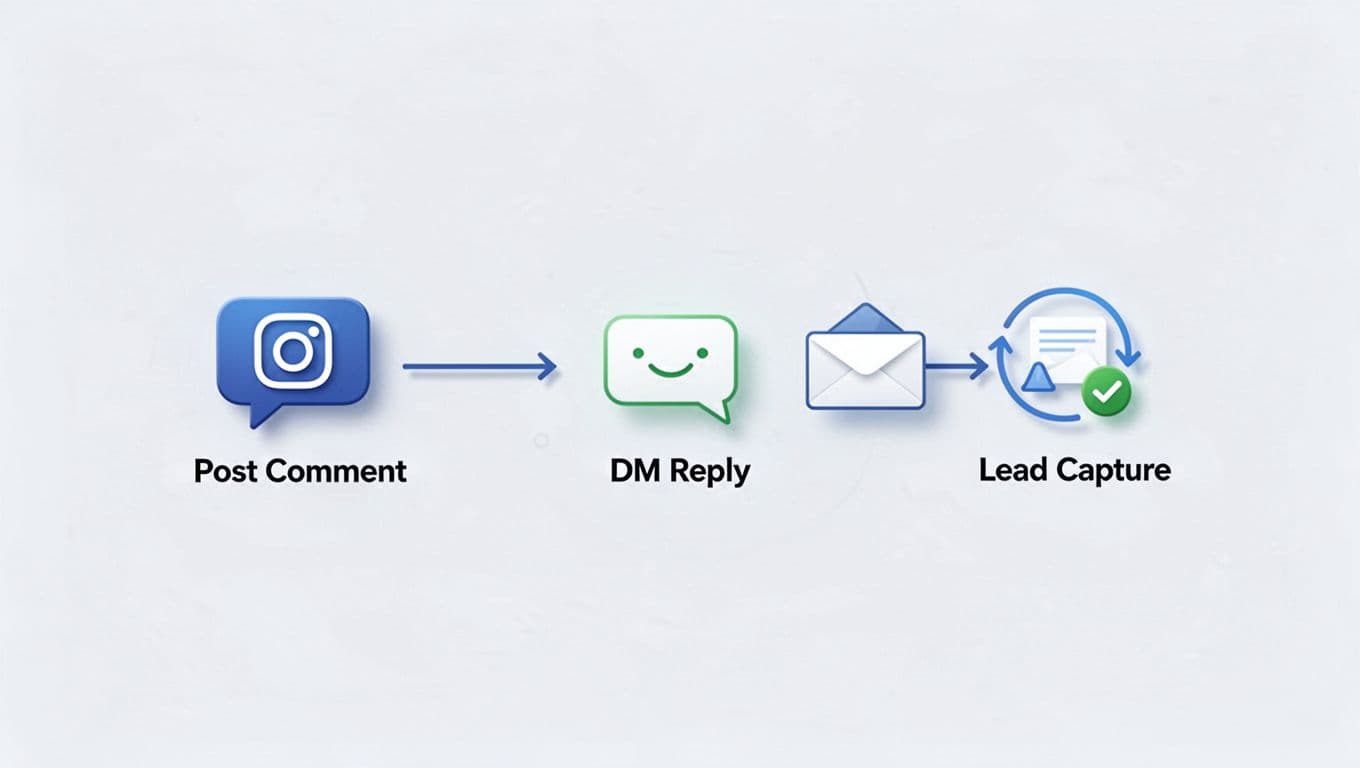
Teen methods ka core flow same rahega: Instagram connect, trigger choose, message likho, quick replies add karo, test karo, phir publish. Farq sirf tool ka hota hai.
Important point: 2026 mein safest approach wahi hai jo Meta Graph API ke through connect hota hai. ManyChat jaise tools yahi route use karte hain. Hyperleap Agents aur TezDM ka use kuch log karte hain, lekin aapko pehle confirm karna hoga ki aapka selected plan official Meta integration support karta hai. Agar aapko reliable alternatives chahiye, market mein CreatorFlow, LinkDM, InstantDM jaisi IG-focused options bhi popular hain (features tool to tool vary karte hain).
Method 1, ManyChat par automation DM (beginner friendly setup)
ManyChat beginners ke liye easy lagta hai kyunki builder visual hota hai aur templates mil jaate hain.
- ManyChat par sign up karo, aur Instagram connect option select karo.
- Meta ke through permission do, aur correct IG Professional account choose karo.
- Trigger pick karo (Comment-to-DM ya Keyword). Example: keyword "price".
- Welcome message likho, tone friendly rakho, aur 1 clear question pucho.
- Quick replies add karo, jaise "Price list", "Catalog", "Talk to human".
- Agar link dena hai, ek hi link do, aur context likho.
- Apne second account se test karo (comment ya DM keyword).
- Sab sahi ho to automation ON karo, aur inbox pe notifications check karo.
Tip: Jab user "custom" ya "urgent" bole, flow ko human handoff par bhej do.
Method 2, Hyperleap Agents se AI replies aur smarter lead capture
Agar aapko replies zyada natural chahiye, aur aap multi-channel soch rahe ho (IG ke saath WhatsApp type), tab AI agents wali approach useful hoti hai. Iska sweet spot tab aata hai jab aapke FAQs broad hain, jaise services, slots, locations, pricing tiers.
- Account create karke Instagram connect karo (official connection confirm karna zaroori hai).
- Trigger choose karo, comment-to-DM ya story reply.
- Rules define karo, jaise "price pooche to pricing options bhejo", "discount maange to policy explain karo".
- Lead capture add karo, jaise name, phone, ya preferred time.
- Handoff rule set karo, jaise "agent ko notify when user says call".
- Test karo, phir live kar do.
Yahan key ye hai: AI ko boundaries do, warna reply kabhi kabhi vague ho sakta hai.
Method 3, TezDM plus n8n se low-cost automation (no-code workflow)
Budget tight ho, ya aap custom workflow chahte ho, tab n8n type no-code automation ka idea kaam aa sakta hai. TezDM ko trigger layer ki tarah use karke aap DM workflow ko n8n se connect kar sakte ho, bas ensure karo ki aapka setup Meta policies ke against na ho.
- n8n ko cloud ya self-hosted setup karo, phir basic workflow create karo.
- TezDM ko connect karo, aur trigger choose karo (keyword ya comment).
- Message template set karo, short aur specific.
- Optional: lead ko Google Sheets mein log karo, taaki follow-up easy ho.
- End mein test run karo, phir small audience par enable karo.
Beginners ek simple keyword automation se start karein, complex branching baad mein add karna easy hota hai.
High-converting DM scripts, testing, aur optimization (taaki replies natural lagen)
Automation tab convert karti hai jab messages "robot" jaise na lagen. Isliye 3 cheezein fix rakho: pehla message short ho, next step clear ho, aur user ko choice mile. Quick replies yahan gold hain, kyunki user ko type karna nahi padta.
Optimization ka simple rule: pehle 7 din sirf data dekho. Kaun sa keyword zyada aa raha hai? Kaun sa reply thread pe users drop ho rahe hain? Phir message ko 10 percent short karo, aur question ko zyada direct banao. Agar aap links share karte ho, ek hi link do, aur UTM ya tracking tool se clicks check karo (simple level par bhi).
Natural feel ka shortcut: ek line empathy, ek line answer, aur ek clear CTA.
Copy paste DM templates (price, catalog, appointment)
1) Price request (keyword: price)
"Hey {first_name}, thanks! Aap kis service/product ka price dekhna chahte ho?
Reply 1: Basic, Reply 2: Standard, Reply 3: Premium"
2) Catalog ya link share
"Hi {first_name}, bilkul. Ye catalog link hai: (link)
Aapko kaunsa category chahiye, A ya B? Reply A/B"
3) Appointment booking
"Hey {first_name}, appointment ke liye 2 options bata do:
Date aur time, ya phir 'Call' likh do, main confirm kar dunga."
Testing ka simple tareeka (checklist) aur common mistakes
Testing boring lagta hai, par yahi aapko embarrassment se bachata hai. Ek baar second account se end-to-end run karo; keyword spelling check karo; quick replies tap karke dekho; link open hota hai ya nahi; human handoff par notification aa rahi hai ya nahi; aur basic metrics note karo (replies, clicks, leads).
Common mistakes: message bahut lamba, pehle hi 3 links chipka dena, generic "Hello dear" vibe, aur exit option na dena. Exit simple rakho, jaise "Menu" ya "Stop" keyword, taki user ko control feel ho.
Conclusion
Instagram DM automation ka best result tab milta hai jab aap sahi trigger choose karte ho, aur tool ko simple rakhte ho. ManyChat beginners ke liye smooth hai, Hyperleap Agents type setup AI replies aur lead capture mein help kar sakta hai, aur TezDM plus n8n budget-friendly direction de sakta hai (bas official compliance check zaroor karo). Saath hi, safe messaging rules follow karo, templates se start karo, aur testing ko habit banao. Aaj hi ek post pick karo, "price" keyword automation set karo, phir 10 test replies se learnings note kar lo.
"Thanks for stopping by and reading! 📖 Hope it added some value to your day. If you enjoyed it, feel free to share!"